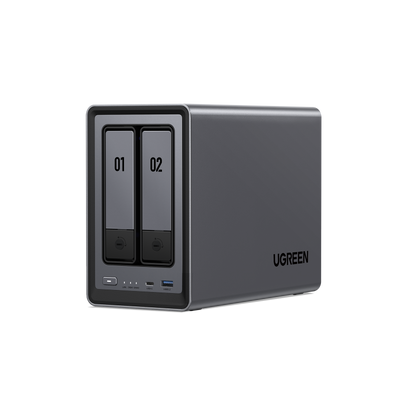
How to Choose the Correct Drive for Your NAS
The selection of the hard drives is crucial when it comes to deciding on a NAS. This is perhaps the most important decision you have to make when setting up a home network drive.
Network-attached storage is used in a network for continuous and simultaneous access to data by several users. Selecting a suitable drive helps in improving the performance and the reliability of your NAS storage system. It also lengthens the lifespan of the storage device.

Key Takeaways
- Choosing the right NAS drive is critical for long-term performance, data safety, and system reliability.
- NAS-rated drives are built for 24/7 operation, multi-user access, and RAID environments, unlike standard desktop drives.
- Reliability should be prioritized over raw speed or low price, especially for continuous workloads.
- Capacity planning should account for future growth, as nearly full drives reduce efficiency and lifespan.
- HDDs are ideal for large, cost-effective storage, while SSDs excel in speed-sensitive tasks and caching.
- Hybrid HDD + SSD setups offer a balanced solution for performance and cost in modern NAS systems.
NAS storage is different from regular storage
On the surface, all hard drives may look the same but they vary. Most people assume a NAS behaves like a large desktop PC. However, in practice, it does not work in this manner.
Always at work
Network attached storage devices operate continuously, typically without shutdown. Whether the device is in use or not, the hard drive continues to perform operations such as backup, index creation and disk diagnostics.
Multi-user access and background activity
A network storage system, or NAS, provides a service to numerous users. Devices such as media players and phones, colleagues and relatives may access the same storage at the same time.
The constant writing and reading in use here results in high activity. Systems specifically designed for a workload of this nature are NAS drives, which are generally more reliable when several are set up in a RAID (Redundant Array of Independent Disks) array.
RAID environments and continuous workloads
A number of network and storage configurations for home computers use disk arrays to link together a number of hard disk drives to form one large storage capacity. Higher redundancy does make the data safer from failures, although the redundancy itself adds additional workload on the disks involved in the process. In a system with multiple hard drives in a RAID array, performance under heavy load matters more, as does the ability to tolerate a drive failure and rebuild reliably, than in a single-drive system.
For users of UGREEN NAS devices, the following points are of particular relevance because the UGREEN NASync is designed to be used as a long term storage device.
What to look for when choosing a NAS drive
There are a few main factors when buying a NAS drive.
Reliability comes first
While performance and capacity are crucial for a network-attached storage system, reliability is the top priority. NAS rated drives differ from desktop drives in several key ways:
- They are designed to process much larger volumes of data annually;
- Better vibration resistance for multi drive enclosures;
- The firmware has been specifically designed to work in RAID environments.
While desktop drives may operate normally on initial testing, prolonged NAS usage will eventually lead to potential drive problems.
Cloud storage company Backblaze, who provide a large scale consumer cloud backup service, publish drive failure statistics on their blog. Their study indicates that units used in a business environment should be selected with continuous operation in mind.
Capacity planning for real life
Choosing capacity is not just about how much data you have today. It is about how your storage needs will grow. When hard drives become too full, they are less efficient and slower, so upgrading before this point will save both time and money.
Performance, what actually matters
The performance of a network-attached storage device can be affected by a range of factors including the cache size and the rotational speed. Higher performance becomes noticeable when:
- A number of individuals may access a file simultaneously
- The streaming service allows simultaneous access by several users on various devices
- Frequent large file transfers occur
Cost versus long term value
Lower priced drives can be especially attractive when a server requires multiple units. The other factors to be considered alongside cost and durability are the storage capacity per dollar and the storage capacity per watt.
Using drives designed specifically for the high use in a NAS system could reduce the risk of failure at a relatively small cost premium. A single failed drive could be a much more expensive replacement than the savings from buying cheaper drives. In most cases, it is generally advisable for non-technical users of either a home or office environment to opt for a system that strikes a balance.

HDD versus SSD for NAS storage
Many of the latest network-attached storage systems have the ability to use both traditional disk drives and the latest flash solid state drives. Each has its place.
When HDDs make sense
At present, hard drives are the most economical option for storing large quantities of data. They are well suited for:
- Large media libraries
- Family photo and video archives
- Backup storage
This solution is typically the most cost-effective for a lot of data and offers a reliable balance of performance and storage capacity.
When SSDs make sense
In comparison to hard drives, solid-state drives are especially faster for file operations which are random in nature and also involve small files frequently. They are useful for:
- Caching frequently accessed data
- Performance sensitive applications
- Fast shared project files
SSDs are more expensive by the terabyte than their hard disk equivalents and are generally used for applications requiring high speed rather than general storage.
Hybrid setups
These UGREEN NASync network storage devices are versatile enough to have different storage setups using SSDs and also hard drives. A common approach to this problem is to use a Hard Disk Drive (HDD) for bulk data storage and a solid state drive (SSD) as a cache.
This setup provides better system responsiveness at a reduced cost compared to an array of drives of this type and handles a variety of tasks effectively.
Choosing the right drive type for your use case
Different applications require differing priorities.
Home media and family backups
Storage solutions such as network-attached storage (NAS) hard drives are well-suited for standard backups and storing video and photo collections. Less emphasis should be placed on the maximum speed than on reliability and noise level.
Small office documents and shared files
Corporate environments work efficiently with stable hard drives that are well-rounded in their performance capabilities. The more people trying to access a computer file, the more important it is for the system to maintain a consistent level of performance.
Performance focused users
Users who constantly access or work with large files during the day may find that the use of a solid state drive can improve their working efficiency.
Quiet and energy efficient setups
Apartment living means living with the consequences of your power usage and noise levels. Hard disk drives which are designed specifically for noise reduction and lower vibration can have a noticeable effect in smaller environments.

Drive compatibility and best practices with UGREEN NAS
When using a UGREEN NAS device, you are able to select from a vast array of standard NAS drives. Nonetheless, best practice for use with such systems includes adhering to guidelines.
Try and use NAS specific drives in the environment as much as possible.
Follow supported sizes and formats
The ease of setup and fewer surprises during a subsequent upgrade are achieved through keeping to standard formats and drive sizes.
Cooling and airflow matter
It is especially the drives which generate heat. Particularly in the event of an activity sustained for a period. The efficient flow of air and proper installation ensure that drives do not overheat and as a result their lifespan is extended.
Monitor drive health
The majority of network attached storage products have an inbuilt system for the monitoring of its health. Proactive replacement of drives, coupled with attention to warning signs, can help prevent data loss.
Common mistakes to avoid
The odd mistake that even the most skilled users sometimes commit can be avoided.
Using desktop drives for continuous workloads
Computer hard drives are not designed to be used continuously twenty four hours a day or in a RAID setup.
Underestimating future storage growth
They may need to upgrade earlier than anticipated, which in turn causes them to carry out their upgrade hurriedly, with resultant unnecessary additional costs.
Assuming RAID equals backup
Data protection using Redundant Array of Inexpensive Disks (RAID) works to prevent loss of important data due to the failure of a hard drive. It does not, however, protect against accidental deletion of data or viruses such as ransomware. It is nonetheless still essential to make separate backups.
Mixing mismatched drives
Using drives of significantly different capacities or performance characteristics can complicate RAID maintenance and reduce the effectiveness of this array.
Build better NAS storage with the right drive choice
When selecting a hard disk for your network attached storage (NAS) box, the model you choose should be based on more than the hard drive’s price or storage capacity alone. Above all else, reliability, consistency of performance and long-term value are what count.
The secret to a successful storage server is understanding the difference between consumer storage and a NAS device and anticipating real-world usage. These UGREEN NAS and UGREEN NASync systems work optimally with suitable NAS certified hard drives.
Using drives with a longer lifespan, rather than always opting for the cheapest storage available, provides a more stable and pleasant experience with your network attached storage device.