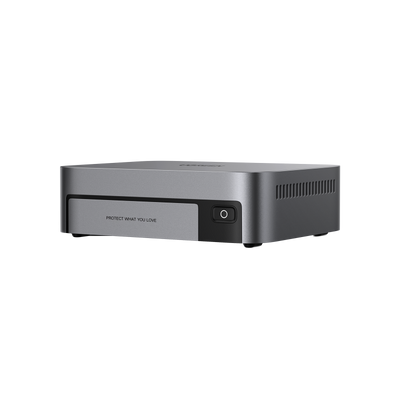
Can you run a NAS on Wi‑Fi?
Network Attached Storage (NAS) has become increasingly popular among home users and small offices. As Wi-Fi is getting faster, many people ask the same question:
Can you run a NAS on Wi‑Fi instead of Ethernet?
The short answer: it’s possible, but not always ideal.
Ethernet is a wired network connection that uses a physical cable to connect devices to a router, providing a fast and stable internet or local network connection. But if there is no Ethernet socket nearby, or you don’t want to run more cables, can you use Wi-Fi instead? In this article we will explain why it’s not the best option for most situations, although it is possible.

What does running a NAS on Wi‑Fi actually mean?
In most home setups, a NAS connects to your local network. Devices like laptops, phones, and smart TVs then access the NAS over that same network. Wi‑Fi is in this case simply the local network connection method.
A common misunderstanding is thinking that Wi‑Fi NAS access is the same as accessing files remotely. In reality:
- Wi‑Fi vs Ethernet describes how the NAS connects to your router;
- Local vs remote access describes where you access it from.
A NAS can be accessed remotely even if it’s connected via Ethernet. Likewise, a NAS connected via Wi‑Fi is still part of your local network.
Why NAS workloads are different
Unlike phones or laptops, NAS systems are designed for:
- Continuous operation (usually 24/7);
- Large file transfers;
- Simultaneous access by multiple devices;
- Background tasks like backups, syncing, and indexing.
These workloads rely on stable networks rather than casual web browsing or streaming.

Why most NAS systems prefer wired connections
If you look across the NAS market, you’ll notice a clear pattern: most NAS devices rely on Ethernet. This is not an accident or a cost‑cutting decision. Wi-Fi marketing often focuses on impressive headline speeds, often advertised in the multi-gigabit range with standards such as Wi-Fi 6 and Wi-Fi 6E. In real‑world NAS usage, however, consistent performance matters more than theoretical maximum speed.
Ethernet offers:
- Predictable bandwidth;
- Low and consistent latency;
- Minimal interference.
Wi‑Fi, by contrast, is affected by:
- Distance from the router;
- Walls and floors;
- Other wireless devices;
- Network congestion.
Even brief signal drops can interrupt file transfers, backups, or media streams.
Large file transfers and background tasks
NAS storage is often used for:
- Photo and video libraries;
- System backups;
- Disk‑to‑disk synchronization.
These tasks may run automatically in the background. A wired Ethernet connection ensures they complete reliably without constant retries or slowdowns.
Multi‑user access
When multiple users access the same NAS, which is common in families or home offices, Wi‑Fi bandwidth is shared. Ethernet gives the NAS a dedicated, full‑duplex connection to the router, reducing bottlenecks.
This design philosophy applies to most UGREEN NAS models, which are built around dependable wired networking.
Can UGREEN NAS devices use Wi‑Fi?
Most UGREEN NASync models
The majority of UGREEN NASync systems do not include built-in Wi‑Fi. They are designed to connect directly to your router or switch using Ethernet.
This choice reflects how NAS devices are actually used in practice:
- Long‑term storage reliability;
- Stable data transfers;
- Continuous availability.
UGREEN’s official product documentation and networking guides consistently emphasize wired connections for optimal performance.
The exception: UGREEN NASync DXP480T Plus

One notable exception is the UGREEN NASync DXP480T Plus, which includes built‑in Wi‑Fi connectivity.
This allows the device to:
- Join a wireless network without a direct Ethernet cable;
- Offer more flexible placement options.
However, even with built‑in Wi‑Fi, UGREEN still recommends Ethernet whenever possible for sustained workloads. Wi‑Fi support is best viewed as convenience, not a replacement for wired networking.
When running a NAS on Wi‑Fi can be acceptable
While Ethernet is clearly preferred, there are scenarios where running a NAS over Wi‑Fi can work reasonably well.
Light workloads
Wi‑Fi may be acceptable if you primarily use your NAS for:
- Documents and spreadsheets;
- Occasional file access;
- Small photo collections.
These tasks generate relatively little network traffic and are less sensitive to brief slowdowns.
Single‑user environments
If only one device accesses the NAS at a time, Wi‑Fi congestion is less of an issue. This can apply to solo users or minimal home setups.
Physical placement constraints
Sometimes running Ethernet simply isn’t practical, especially in rented apartments or older homes. In such cases, Wi‑Fi may be a temporary or compromise solution.
Modern Wi‑Fi standards
If you do rely on Wi‑Fi, using:
- 5 GHz bands;
- Wi‑Fi 6 (802.11ax);
- A strong, nearby router.
can significantly improve results. Resources like the Wi‑Fi Alliance’s explanations of Wi‑Fi 6 provide helpful background.
Better alternatives to a pure Wi‑Fi NAS
For many users, the best solution is a hybrid approach.
Wireless bridge or mesh node
One popular method is:
- Connecting the NAS via Ethernet to a mesh Wi‑Fi node;
- Letting that node communicate wirelessly with the main router.
From the NAS’s perspective, it’s still using Ethernet. This often delivers:
- Better stability;
- Fewer dropouts;
- Improved sustained throughput.
(However, the upstream connection between the mesh node and the main router remains wireless.)
Powerline Ethernet (with caution)
Powerline adapters can also extend Ethernet over electrical wiring. Results vary widely depending on home wiring quality, but in some cases they outperform Wi‑Fi for NAS use.
Consumer networking guides from sources like SmallNetBuilder offer detailed comparisons of these options.
Common mistakes and misunderstandings
My Wi‑Fi is fast, so NAS will be fine
Speed tests measure short bursts, not long‑term stability. NAS workloads expose weaknesses that typical browsing does not.
Confusing Wi‑Fi with remote access
Remote NAS access depends on internet configuration, not whether the NAS uses Wi‑Fi or Ethernet locally.
Expecting heavy workloads to work smoothly
Tasks like 4K media streaming, full‑system backups and large multi‑user transfers are exactly where Wi‑Fi struggles most.
Can you run a NAS on Wi‑Fi?
Yes, you can run a NAS on Wi‑Fi, but with clear limits.
For light, occasional use, Wi‑Fi can be acceptable, especially with modern routers and minimal users. However, for anyone serious about data reliability, performance, and long‑term stability, wired Ethernet remains the best choice.
UGREEN NAS and UGREEN NASync systems are built with this philosophy in mind: stability first. While models like the UGREEN NASync DXP480T Plus offer added Wi‑Fi flexibility, Ethernet is still the recommended foundation.
Ultimately, choose your NAS setup based on real usage needs, not just convenience. A small effort in networking often pays off with years of reliable storage.
Frequently asked questions about NAS and Wi‑Fi
Can I add a USB Wi-Fi adapter to a NAS?
In most cases, no. Unlike PCs, NAS operating systems are highly specialized. They only support a limited range of hardware drivers, and generic USB Wi-Fi adapters are usually not recognized.
UGREEN NASync systems are designed around supported, tested networking hardware to ensure stability and security. Attempting unsupported Wi-Fi adapters may lead to unreliable behavior or system instability.
This design approach is common across the NAS industry and is discussed broadly in NAS OS documentation from vendors like Synology and QNAP.
Is Wi-Fi slower than Ethernet for NAS use?
On paper, Wi-Fi can appear just as fast, or even faster, than Gigabit Ethernet. In practice, Ethernet almost always delivers higher sustained throughput and lower latency, which matters far more for NAS storage than peak speed. Based on independent LAN and WLAN performance testing by networking review sites such as SmallNetBuilder, wired Ethernet typically delivers more consistent performance than Wi-Fi during long-duration file transfers.
Does Wi-Fi affect data safety?
Wi-Fi itself does not make your data less safe, but unstable connections can increase the risk of interrupted transfers, failed backups, or incomplete sync operations. Wired Ethernet reduces these risks by providing a constant, interference-free connection.
How UGREEN NASync is designed for home networking
UGREEN NASync systems are designed with consumer reliability in mind rather than experimental flexibility. This means:
- Optimized Ethernet controllers;
- Consistent performance under continuous load;
- Fewer variables that could affect data integrity.
The decision to focus on wired networking is intentional. It reflects how NAS devices are actually used over years, not just during short setup demonstrations.
Even with Wi-Fi-capable models like the UGREEN NASync DXP480T Plus, the recommended configuration remains Ethernet first, Wi-Fi-second.
Convenience vs reliability
Wi-Fi offers undeniable convenience, and for light NAS usage it can be tempting to rely on it entirely. However, NAS storage is fundamentally about trust: trust that your data will be there when you need it.
For most users, the best compromise is not choosing between Wi-Fi or Ethernet, but combining them intelligently: let Wi-Fi serve your devices, and let Ethernet anchor your NAS.
That approach aligns perfectly with how UGREEN NAS products are built and how they deliver the most consistent long-term experience for everyday users.