What Exactly Does a NAS Do?
If you are running out of storage, juggling multiple cloud services, or never quite sure which device holds that important file you’re looking for, you’re not alone. Photos and 4K videos pile up across phones, laptops, external drives and cloud folders. Smart home cameras can add hours of footage every week, and hybrid work brings a steady stream of documents and projects that need to be kept organised. A NAS offers a simple way to pull everything into one place. But what exactly is a NAS, and why are so many homes and small businesses choosing one?
In this guide we will explain what NAS storage is and how you can use it.

Key Takeaways
- A NAS centralises all your files, backups, and media into one private hub, offering fast local access without monthly fees.
- It delivers automatic device backups, home media streaming, family file sharing, and scalable storage for growing digital needs.
- NAS gives users full control and stronger privacy compared to cloud services, which rely on subscriptions and internet connectivity.
- Small businesses benefit from shared workspaces, easier GDPR-friendly data control, and reliable backups.
- With rising data volumes, NAS has become a practical long-term solution—especially with modern, user-friendly systems like UGREEN NASync.
What is NAS storage?
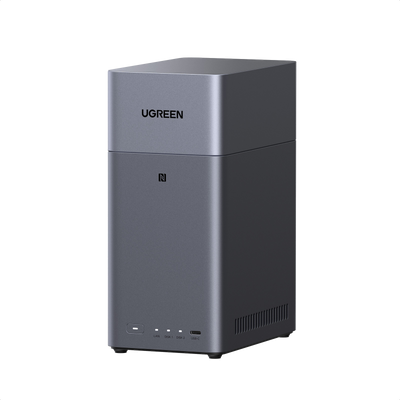
NAS stands for Network Attached Storage. Think of it as cloud storage, but only for you and your family. This small computer is designed specifically to store and manage your files. You connect it to your broadband router, and it becomes your personal storage hub. You are the one who decides who can access it and you don’t pay monthly fees.
A typical NAS server includes:
- One or more drive bays for HDDs or SSDs
- A simple operating system
- Apps for backup, sharing and media streaming
- Support for RAID protection to secure your data if a drive fails
Once set up, a NAS behaves like a shared drive for your entire network. Any device on your Wi-Fi or Ethernet network can access it, including laptops, phones, tablets, smart TVs and even CCTV cameras.

Why a NAS is great for home users
NAS storage for home offers several clear benefits for households.
All your files in one organised place
A NAS becomes your digital library. Instead of searching through old laptops, external hard drives and cloud folders, everything is stored centrally. This is super easy for families with multiple devices, school work, holiday photos and digital media collections.
Automatic backups for every device
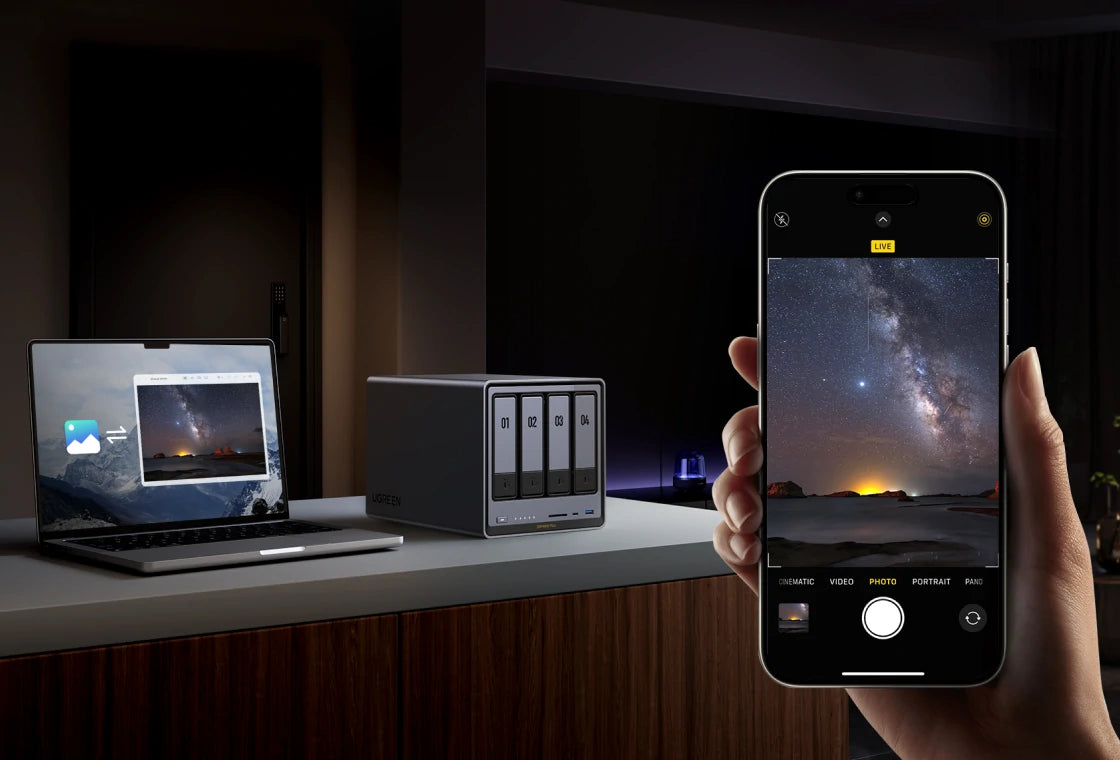
A NAS makes it easy to back up your phones, tablets and computers automatically. For this you can use Windows Backup or macOS Time Machine. Many NAS systems can also upload your phone’s photos automatically if you want to, when you connect to Wi-Fi. This keeps your memories safe without paying for cloud upgrades.
Your own media streaming server
If you enjoy watching films or storing personal videos, a NAS can act as a home media server. Apps like Plex or Jellyfin can run on the NAS and stream 1080p or 4K video to smart TVs and tablets around the house.
No monthly subscription fees
Cloud storage is convenient but can be costly over time. Apple, Google or Dropbox plans commonly cost between £8 and £20 per month for 2 TB of storage. A NAS is a one-time purchase that gives you full control of your storage without recurring charges. Many UK families reach the limit of free cloud tiers quickly, making NAS a long term, cost-effective alternative.
Better privacy and more control
Storing data on a NAS means your files stay inside your home, not on servers owned by global tech companies. This way, you won’t be affected when a cloud backup service closes, like BT Cloud in 2024.

Why a NAS helps small businesses
Small businesses in the UK often struggle with decentralised storage, scattered cloud accounts and a lack of proper backups. A NAS solves many of these challenges without requiring specialist IT staff.
A shared digital workspace
Colleagues can access shared folders from different devices. There is no need to email documents back and forth or wonder who has the latest version. A NAS centralises your files so your whole team has consistent access.
A simple but powerful backup server
A NAS can run scheduled backups for all office computers. This protects your customer data, invoices, design files and other business documents. If a laptop is lost or damaged, the files are safe on the NAS.
More control for GDPR compliance
Because data stored on a NAS stays in your office, it is easier to track and control who accesses it. This supports GDPR principles around data minimisation and location transparency. Cloud services often store data in multiple locations across different countries. A NAS allows small businesses to keep data local and permissioned.
Scalable, flexible storage
A NAS can grow with your business. For example, you can start with two drives and add larger ones later. This way you increase capacity without replacing your whole system. Many NAS models support RAID, versioning and user access controls, giving small businesses the type of reliability once reserved for larger companies.
NAS vs cloud storage
Cloud storage and NAS storage are not competitors. They solve different problems, and many homes use both. This can help you decide:
- Cost: a NAS requires an initial investment in hardware and drives. Cloud services require ongoing payments. Over several years, a NAS is usually cheaper for storing large amounts of data.
- Speed: a NAS is fast on your local network. Cloud access depends on your broadband speed. Even with fast fibre, uploads to cloud services are slower than local transfers.
- Privacy: a NAS gives you complete control over where data is stored. Cloud data sits on remote servers that you do not manage.
- Remote access: cloud services excel at remote access. NAS can do it too but requires some configuration. Most modern systems make this setup easy, especially consumer-friendly NAS models.
- Scalability: cloud services offer virtually unlimited space. NAS storage depends on your drive capacity. However, you can expand most NAS systems by adding or upgrading drives.
- Best of both worlds: many UK users combine both solutions. The NAS handles main storage and local backups, while selected folders are synced to a cloud service for off site protection.

Why do people use a NAS?
Automated backups
A NAS is ideal for backing up laptops, phones and tablets. You can schedule automated backups and keep all your data protected without any effort after the initial setup.
Media streaming
A NAS can hold your entire media library and stream it to any device at home. It is perfect for households with large libraries of photos, 4K films or music.
Family file sharing
Create shared folders for household documents, school work or travel plans. Everyone can access the latest version from any device.
CCTV and home security storage
Many IP cameras allow you to store footage directly on a NAS. This avoids monthly cloud video fees and keeps recordings secure and local.
Home office and remote work
With roughly 40 percent of the UK workforce working remotely or hybrid in 2025, a NAS offers reliable storage, version control and access from multiple devices in your home office.

NAS usage in the UK
NAS storage integrates well with typical UK home networks.
- Broadband compatibility: a NAS works perfectly with routers from BT, Sky, Virgin Media or TalkTalk. You plug the NAS into your router using an Ethernet cable, and it immediately becomes visible to your devices.
- Reliable storage if broadband drops: unlike cloud storage, which depends entirely on the internet, a NAS continues to operate locally even if your broadband connection goes down.
- Local control for compliance: UK households and businesses increasingly value privacy, especially when dealing with personal data, customer information or CCTV footage. A NAS keeps data on site and under your direct control.
Why NAS storage is more important than ever
Digital storage requirements are growing rapidly. Smartphones produce huge photo libraries, smart home devices record video constantly and modern work creates large files. A NAS offers a private, scalable and affordable way to manage this.
Industry research shows that the global NAS market was around 40 billion dollars in 2024 and is expected to reach around 130 billion dollars by 2032. This growth reflects the rising need for local, secure and high capacity storage solutions.
UGREEN NASync for home and business
UGREEN NAS has recently entered the market with its NASync range. This series became the most funded NAS project in Kickstarter history, raising 6.6 million dollars from over 13,000 backers.
Simple and beginner friendly
NASync is designed for easy setup. The mobile app lets you manage files, stream media and perform backups with minimal configuration.
Fast and flexible hardware
NASync models feature Intel processors, multiple drive bays and support for SSD caching. Higher end models include 2.5GbE or 10GbE networking and even Thunderbolt ports. This ensures smooth performance for homes and small businesses alike.
Versatile for all users
Home users store family media, back up their phones and organise photos.
Small businesses use the NASync range for shared folders, collaboration and secure storage.
Open drive support
NASync works with standard HDDs and SSDs from major brands, which makes upgrades easy.
Smart features
Built-in photo recognition, encryption and user permission controls make NASync feel modern and consumer friendly. It operates like a private cloud with advanced features but keeps all data local.
Is a NAS server worth it?
Our short answer: yes. A bit longer: NAS servers answer a growing need in modern UK households and small businesses. It makes sure all your files are stored on a private device, which improves privacy, prevents data loss and gives you control over your digital life. With user friendly options such as UGREEN NASync, it has become easier than ever to enjoy the advantages of private cloud storage at home.
Quick Navigation
Top Picks for You
£172
OFF

£140
OFF
Related Reads

How to Secure Your NAS: Essential UK GDPR Tips for Home Users
14/07/2025

RAID Array Failure in NAS: Step-by-Step Recovery Guide for 2025
13/07/2025
How to Set Up NAS for Beginners: Easy Storage Guide 2025
04/06/2025

Can NAS Work Without Internet?
03/12/2025

NAS vs. Cloud vs. External Drives: What’s the Best Storage for You?
07/11/2025