5 Essential Apps to Get the Most out of Your UGREEN NASync DH2300
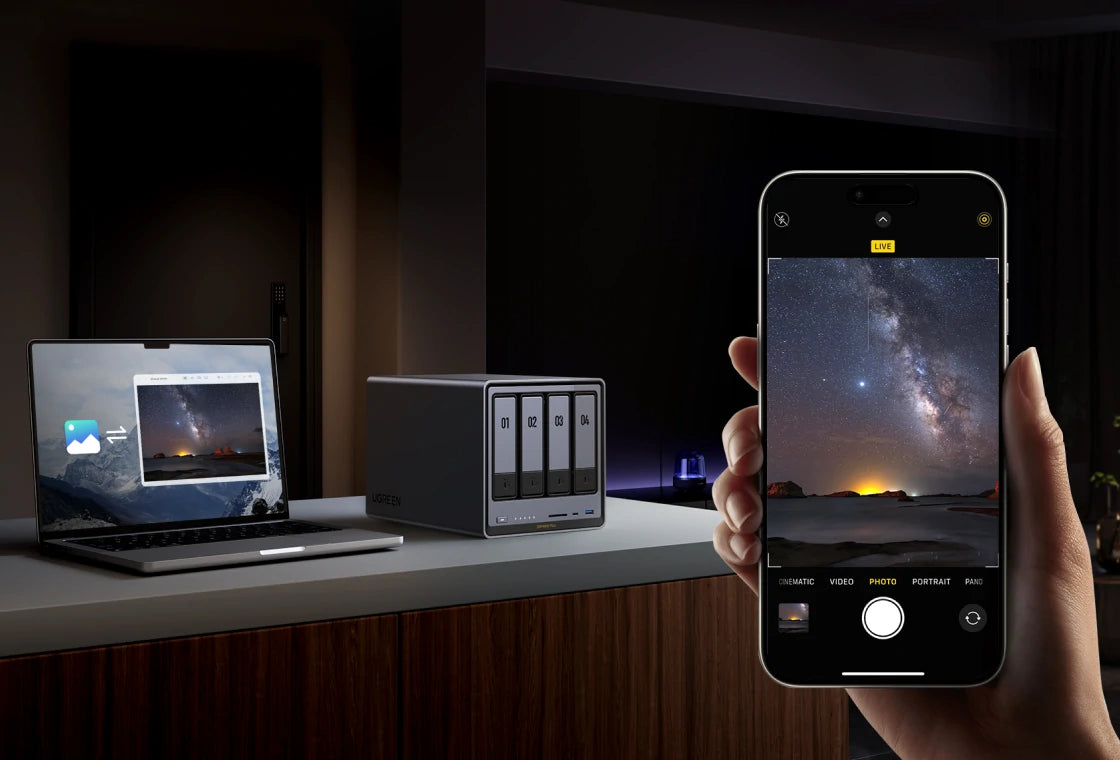
A modern NAS (Network Attached Storage) device, such as the UGREEN NASync DH2300, is more than just an external hard drive. It’s a mini home cloud server and personal storage system that you control.
With the right software apps, the UGREEN NASync DH2300 lets you stream movies to your smart TV, sync files across your favourite devices, back up important data securely, and log in remotely to access everything.
That means complete control over your home storage without expensive cloud storage bills, plus access from almost any device you own, including a PC, smartphone, tablet, or even your TV.
In short, the UGREEN NASync DH2300 is a home or small business private cloud storage system. With at least five key apps, you can unlock backup, media streaming, file sync, remote access, and basic monitoring.

What to Look for in a NAS + App Setup
First, ease of use matters. The NASync DH2300 is designed to be straightforward, with a friendly interface (UGOS Pro) that doesn’t require IT expertise. It also supports an app store, so you can install apps such as media servers and backup tools with minimal effort.
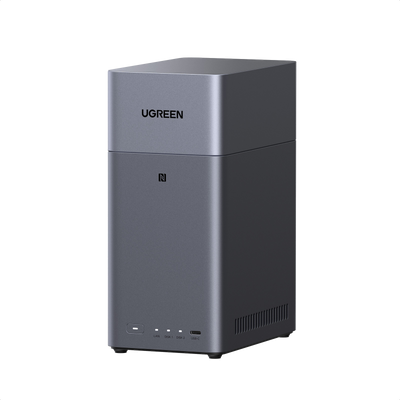
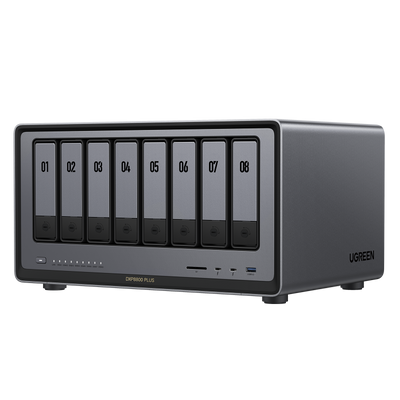
Secondly, consider the design and physical build. The DH2300 is compact and quiet: a small top-loading unit measuring just 15x10x21cm and weighing only 350g. It’s built to run quietly in a modern home or office, without the distraction of noisy fans.
It’s also energy efficient, intended for continuous 24/7 use, and uses less power than a full computer.
Finally, make sure the NAS and its apps can meet your needs. Look for ample storage capacity (the DH2300 supports two drives of up to 30TB each), media and network streaming options (including an HDMI port), and strong privacy and security tools.
On hardware alone, the DH2300’s 8-core Rockchip processor and 4GB RAM provide enough performance to handle video playback and run multiple apps at the same time. With features such as drive encryption, firewall protection, and two-factor authentication, your personal cloud stays protected.
5 Essential Apps for UGREEN NAS
1. Plex
Plex helps you organise and stream your movie, TV, and music libraries. It’s a media server that lets you manage videos, music, and photos stored on your NAS and play them on televisions, smartphones, or tablets. It also pulls in artwork and metadata, keeping your media library neat and easy to browse.
Instead of transferring files to each device, everyone at home can access the same library and stream 1080p (or even 4K) content to a smart TV over Wi-Fi. It’s a proper home media server experience, similar to having your own Netflix-style library.
For example, you can start a film on your TV or phone straight from the NAS, and stream music playlists from the same library.

Image from Plex
2. Nextcloud (Private Cloud/File Sync)
Nextcloud is a private cloud app that synchronises files, calendars, and contacts across devices. You can edit documents online, share folders with family members, and keep everything in sync.
It gives you the convenience of cloud storage, like file synchronisation across computers, mobiles, and tablets, but on your own hardware. Your data stays under your control, without subscription fees or handing your files to a third party.
For example, if you edit a document on your home computer, Nextcloud can sync it to your NAS automatically, then make it available instantly on your work PC or mobile. Family members can also have their own accounts to sync photos and notes.
Nextcloud can be installed through the app store. The DH2300 can comfortably run Nextcloud, and real-time sync typically uses minimal CPU resources. You also get collaboration features such as calendars, password-protected sharing, and end-to-end encryption, similar in spirit to Google Drive.

Image from Nextcloud
3. Duplicati (Encrypted Backup Tool)
Duplicati provides automatic, encrypted backups from your NAS to other storage locations or the cloud. It’s a community-supported, open-source tool that can run scheduled backups to external USB drives, network shares, or cloud services such as Dropbox or S3. It includes strong encryption, helping keep your files protected when stored off-site.
Backups matter because they protect valuable photos and documents from drive failures, mistakes, or accidental deletion. You can set Duplicati to run nightly and perform incremental, encrypted backups to maintain a safe off-site copy.
For example, you could back up your “Documents” and “Photos” folders to cloud storage. Even if the NAS is stolen, you still have an encrypted copy.
You can install Duplicati on the DH2300. Duplicati is compatible with many cloud providers, and it can encrypt data before upload, so your files remain protected even when using a public cloud service.

Image from Duplicati
4. WireGuard (VPN Remote Access)
WireGuard is a lightweight, highly secure VPN you can run on your NAS. It creates an encrypted tunnel, so when you connect from an untrusted network, it’s as if your laptop or phone is safely connected to your home network.
VPN remote access lets you connect securely to your NAS and other home devices without exposing unprotected ports to the internet. It’s especially useful on public Wi-Fi, and it can also help you use your home IP address while travelling.
For example, if you’re on holiday and want access to your media library, you can connect your smartphone through WireGuard and stream content as if you were at home.
WireGuard can be run using the official container or a simpler interface such as wg-easy. It’s fast, secure, and efficient, and the DH2300’s CPU can handle its encryption without noticeably affecting performance.
5. Uptime Kuma (NAS Monitoring)
Uptime Kuma is a web-based monitoring dashboard. You can configure it to check your NAS and other services, such as the web interface or a website, at regular intervals.
It’s useful because it alerts you if something goes wrong. If the NAS crashes or your internet connection drops, you’ll know quickly. For home users, that peace of mind matters, especially if you rely on your NAS for backups or remote access.
For example, you can set Uptime Kuma to check the NAS web UI every 5 minutes and send a notification by email (or other channels) if it becomes unreachable.
Uptime Kuma is straightforward to use, with clear charts and real-time notifications, and it’s lightweight enough not to slow down an entry-level NAS.

Image from Uptime Kuma
How UGREEN NASync DH2300 Supports These Apps
The DH2300 is well suited to running the apps above. Its 8-core ARM processor and 4GB of RAM allow multiple tasks at the same time, so you can stream 1080p video while a backup job runs in the background. Combined with Gigabit networking, the overall setup can deliver the throughput needed for everyday home use.
For domestic environments, it does this quietly and efficiently. The enclosure is designed for unobtrusive operation, and the CPU is chosen to balance performance with low power use. You can leave it running 24/7 without disturbing the neighbours or dramatically increasing power consumption.
UGOS Pro provides a streamlined app installation experience via the App Centre, supporting one-click installation for apps such as Jellyfin, WireGuard, Plex, and system monitoring tools.
Setup Tips & Best Practices
To get the most out of your NASync DH2300, follow these tips:
- Organise your drives: Create common folders such as /Media (videos and music), /Backups (PC and phone backups), and /Documents. This makes it easier to point each app to the right location.
- Use the web UI (not the command line): UGOS Pro is designed for convenience. You can install apps, manage users, and schedule tasks from your browser.
- Schedule automated backups: With Duplicati (or any backup tool), set a regular schedule and enable encryption so off-site backups stay protected.
- Health monitoring: Use Uptime Kuma to check services continuously and send notifications if the NAS disconnects or a service stops. Also check the Resource Monitor in the Control Panel from time to time.
Conclusion
The UGREEN NASync DH2300 is much more than simply a box of drives. With the right five apps, it becomes a capable home server and more. It can be a media hub for films and music, a personal cloud drive for documents, an encrypted backup vault, and a secure gateway for remote access, all at an affordable price. Its sleek, unobtrusive design and approachable OS also make it suitable for homes and flats, even for users who aren’t especially tech-savvy.
If you want to consolidate your data, avoid monthly cloud charges, and add features for streaming, backup, and file sync, the DH2300 with these five apps is a solid starting point.
Quick Navigation
Top Picks for You
£86
OFF

£100
OFF
£195
OFF