Protect Your Data for Free: The Best NAS Backup Tools for Home Users
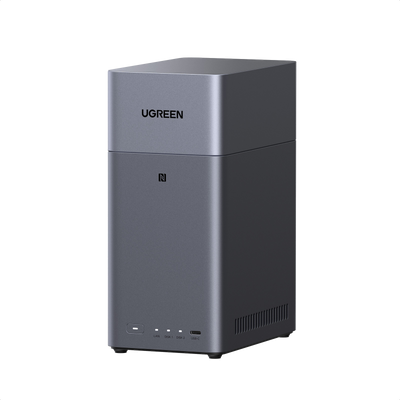
Your NAS is the digital heart of your home, holding precious family photos, irreplaceable home videos, and important documents. But what happens if the hardware fails, or if someone accidentally deletes those critical files? Losing them would be devastating. That’s why a solid backup strategy is non-negotiable, even for home users.
The good news is that you don’t need a big budget to get started. This guide explores the best free NAS backup tools designed to keep your data safe without costing you a penny. We’ll look at compatibility, ease of use, and the key features that protect your files, helping you choose a simple, reliable option to secure your digital life.

Why Free NAS Backup Tools Matter for Home Users
Think of your NAS as a digital safe. It safeguards family memories, from photos of last summer’s trip to videos of your child’s first steps. It might also store essential paperwork like bills or school projects. But even a digital safe isn’t indestructible. A sudden power surge, hardware failure, or an accidental spillage could wipe it all out. Backups are your insurance policy, ensuring your data remains safe no matter what.
For most home users, free backup tools are the perfect solution. They save you money while providing robust protection for your most important files. These tools are designed for everyday users, not just tech experts, offering the core functionality needed to copy your data and recover it if disaster strikes. The key considerations for most home users are ease of use, compatibility with their specific NAS, and automated, secure backups. Free tools can deliver on all these fronts, giving you complete peace of mind without the price tag.
Top Free NAS Backup Tools for Home Users
You don’t have to spend a penny to implement a powerful backup plan for your NAS. Here are some of the best free options available, each with unique strengths to keep your files safe and sound.
 Image from https://www.easeus.com/
- Duplicati: A popular open-source choice, Duplicati is a versatile and powerful tool. It works with most NAS brands (like Synology or QNAP) over your local network. You can configure full or incremental backups, create automated schedules, and encrypt your backups for security. It also supports backing up to various cloud storage services, such as Google Drive or Dropbox, which is ideal for off-site protection. It’s a great option for users who want flexibility without a steep learning curve.
- EaseUS Todo Backup Free: This is another strong contender, especially for Windows users. As the free version of a well-regarded premium tool, it can easily back up your NAS files across the network. It supports full and incremental backups and allows you to set a convenient schedule. Its user-friendly interface makes it very easy to get started, though it lacks some of the advanced features of other tools, like direct cloud integration. It’s perfect if you want a straightforward tool that integrates well with your Windows PC.
- rsync: For users comfortable with the command line, rsync is an incredibly powerful and flexible utility. It’s a free tool that requires some command-line knowledge but works with virtually any NAS that supports network or SSH access. It excels at incremental backups by only copying the changes between files, saving time and space. You will need to create your own scripts to automate it, but if you enjoy having granular control, rsync is unmatched.
- Hyper Backup: For Synology users, the choice is often simpler. As Synology’s own free, built-in solution, Hyper Backup integrates seamlessly with the DSM operating system. It offers robust versioning, space-saving deduplication, and can back up to other NAS devices, USB drives, and a wide range of cloud services. It’s incredibly user-friendly and powerful, making it the default choice for anyone with a Synology NAS.
What to Look For in a Free NAS Backup Tool
Choosing the right free backup tool doesn’t have to be complicated. Focus on a few key areas to find a solution that fits your needs and protects your files without any hassle.

- Compatibility: Before you download anything, confirm the tool works with your NAS brand and its operating system (e.g., Synology DSM, QNAP QTS). Check if it can connect via a standard network share (SMB/CIFS) or requires a specific protocol.
- Ease of Use: A clean interface and a straightforward setup process are essential. You shouldn’t need a technical manual to get started. Look for tools known for being user-friendly to avoid unnecessary stress.
- Key Features: A good tool should offer both full and incremental backup options. Automated scheduling is a must-have, allowing you to “set it and forget it.” Also, look for security features like encryption to keep your backups private, and consider whether cloud integration is important for your off-site backup strategy.
- Recovery Options: Backing up is only half the battle. The tool should offer a simple and reliable process for restoring your files if your NAS fails. A clear, step-by-step recovery wizard can be a lifesaver in an emergency.
Pros and Cons of Free Tools
Free NAS backup tools offer incredible value, but it’s important to understand their advantages and limitations.

Image from https://www.easeus.com/
The main pro is obvious: they cost nothing. This frees up your budget for other things, like additional storage. These tools handle the fundamentals exceptionally well, offering reliable full and incremental backups. Open-source options like Duplicati also benefit from active community support, which means they are regularly updated and improved.
However, there are some downsides. Free tools may lack advanced features found in paid software, such as real-time backup or multi-destination syncing. Official support can also be limited; if you run into trouble, you’ll likely be relying on community forums for help. Finally, some tools, particularly command-line utilities like rsync, may require more technical skill to configure.
If your data is critical for a home business or if you need guaranteed, immediate support, a paid solution might be a worthwhile investment. For the vast majority of home users, however, free tools provide more than enough power and protection.
Quick Comparison Table
Not sure which free NAS backup tool is right for you? This table provides a simple comparison of our top picks to help you decide.
| Tool Name | Works With | Ease of Use | Key Features | Cloud Support |
|---|---|---|---|---|
| Duplicati | Most NAS brands | User-Friendly | Scheduling, Encryption | Yes (many) |
| EaseUS Todo Backup Free | NAS via Windows PC | Very Easy | Scheduling, Simple Interface | No |
| rsync | Any NAS (with setup) | Tech-Savvy | Highly flexible, Incremental | No (manual setup) |
| Hyper Backup | Synology NAS only | Very Easy | Versioning, Deduplication | Yes (many) |
Conclusion
Backing up your home NAS is one of the most important steps you can take to protect your digital memories and important files. As we’ve seen, you don’t need to spend any money to get a robust and reliable solution. Free tools like Duplicati, EaseUS Todo Backup, and manufacturer-specific options like Hyper Backup offer all the functionality most home users will ever need.
Don’t wait for a disaster. Choose a tool that fits your needs and technical comfort level, set up a regular backup schedule, and enjoy the peace of mind that comes with knowing your digital life is safe and secure.
Quick Navigation
Top Picks for You
15%
OFF

Related Reads

How to Secure Your NAS: Essential UK GDPR Tips for Home Users
14/07/2025

How to Choose the Best Home NAS for Secure Storage in 2025
11/08/2025

DIY vs. Prebuilt: Choosing the Right Budget Home NAS for You
11/09/2025

A Simple Guide to Choosing Your First Home NAS: UGREEN vs. Synology vs. QNAP
11/10/2025